

For Online Sellers
Send a checkout link, or add checkout to your site. Customers pay with QR Ph, e-wallets, their bank app or cards, and you see every payment in one place.
Effortless, secure, and scalable payment solutions tailored to your needs.
Whether you sell online, run a store or manage a large business, Weav gives you one connection to collect payments, see where every peso is, and move money to your bank.
Send a checkout link, or add checkout to your site. Customers pay with QR Ph, e-wallets, their bank app or cards, and you see every payment in one place.
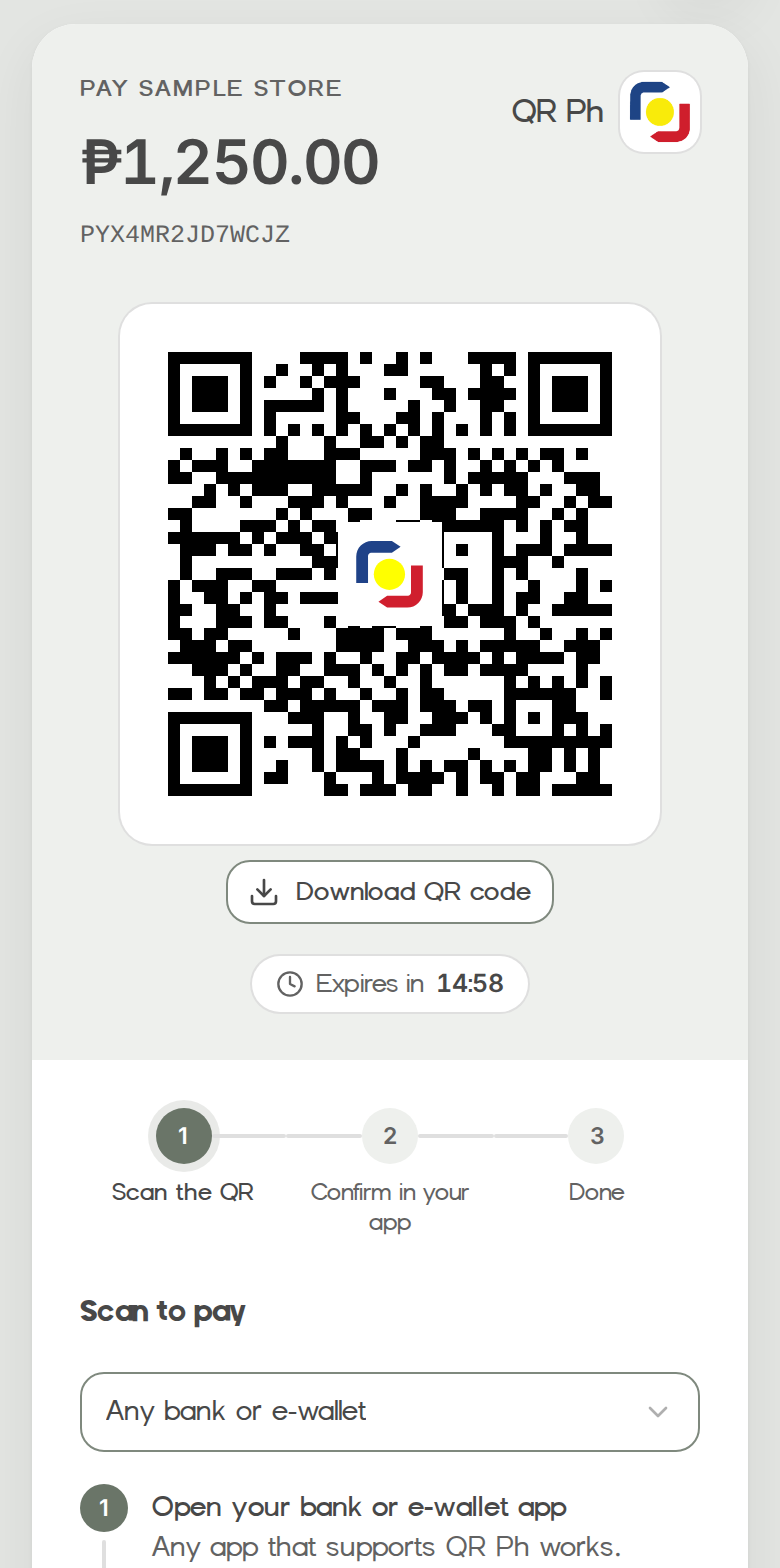
Show a QR Ph code at the counter, or let customers pay cash with a payment code at Pay & Go kiosks or Palawan and Bayad counters.
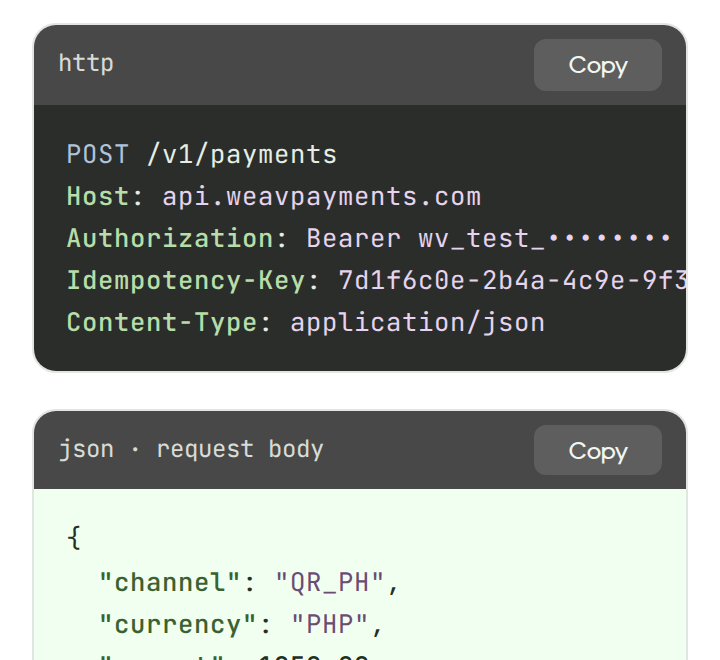
One API for every channel, with test mode, signed webhooks and payouts to your business bank account.
Create a QR Ph code for each payment in seconds. Customers scan it with any bank or e-wallet app that supports QR Ph, and you see the payment the moment it lands.
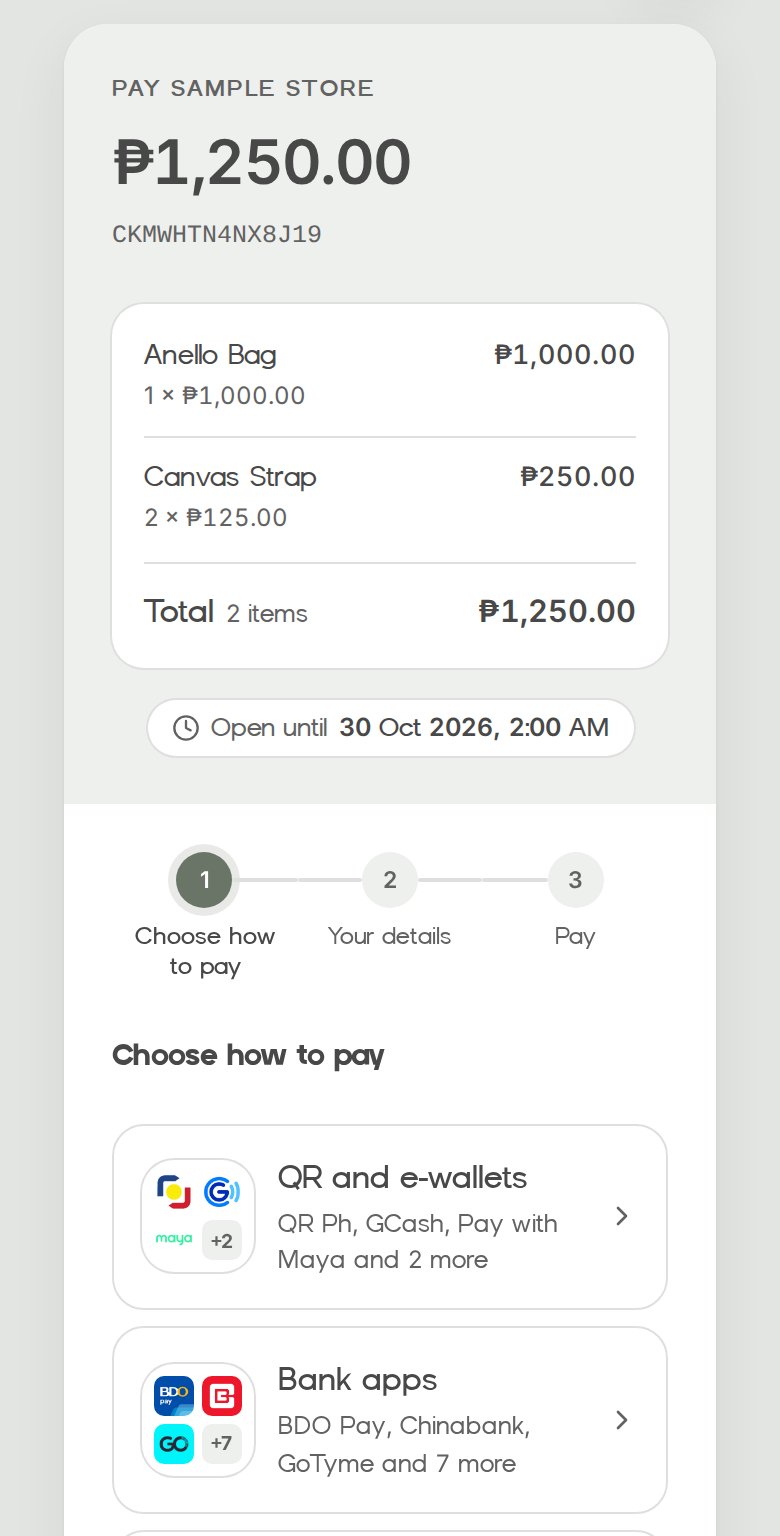
Learn MoreMake a checkout link in your dashboard, or with one API call, for one amount or a list of items. Send it by chat or email. Your customer chooses QR Ph, an e-wallet, their bank app, a card or cash at a counter, and you get paid once.
Learn MoreWithdraw your available balance to your business bank account through InstaPay or PESONet, whenever you want or on a schedule. Every withdrawal is confirmed with a code from your authenticator app.
Learn More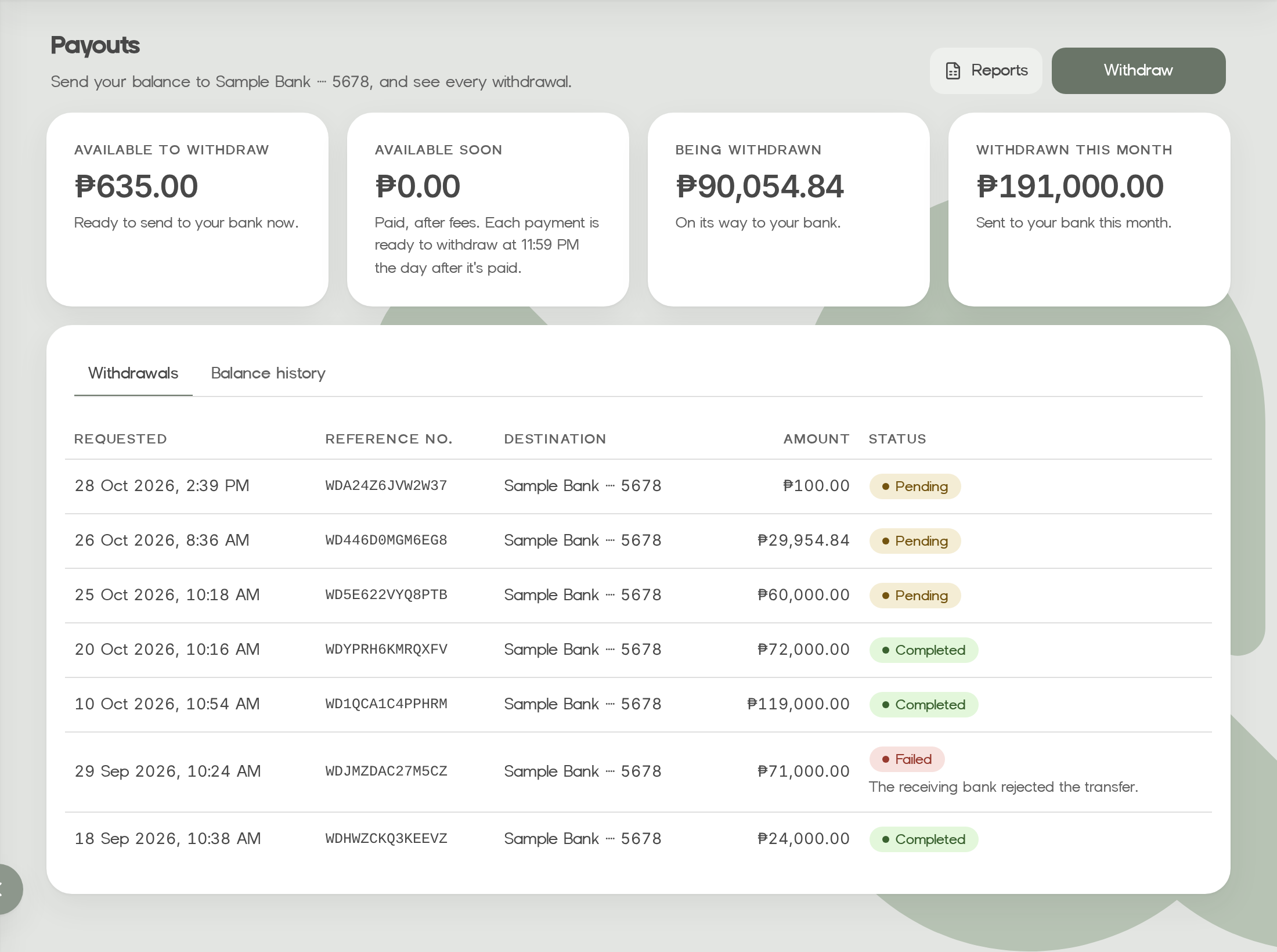
See what came in, what is still pending and what went out. Search by our reference or your own order number, export CSV reports, and follow every peso in your balance history.
Learn More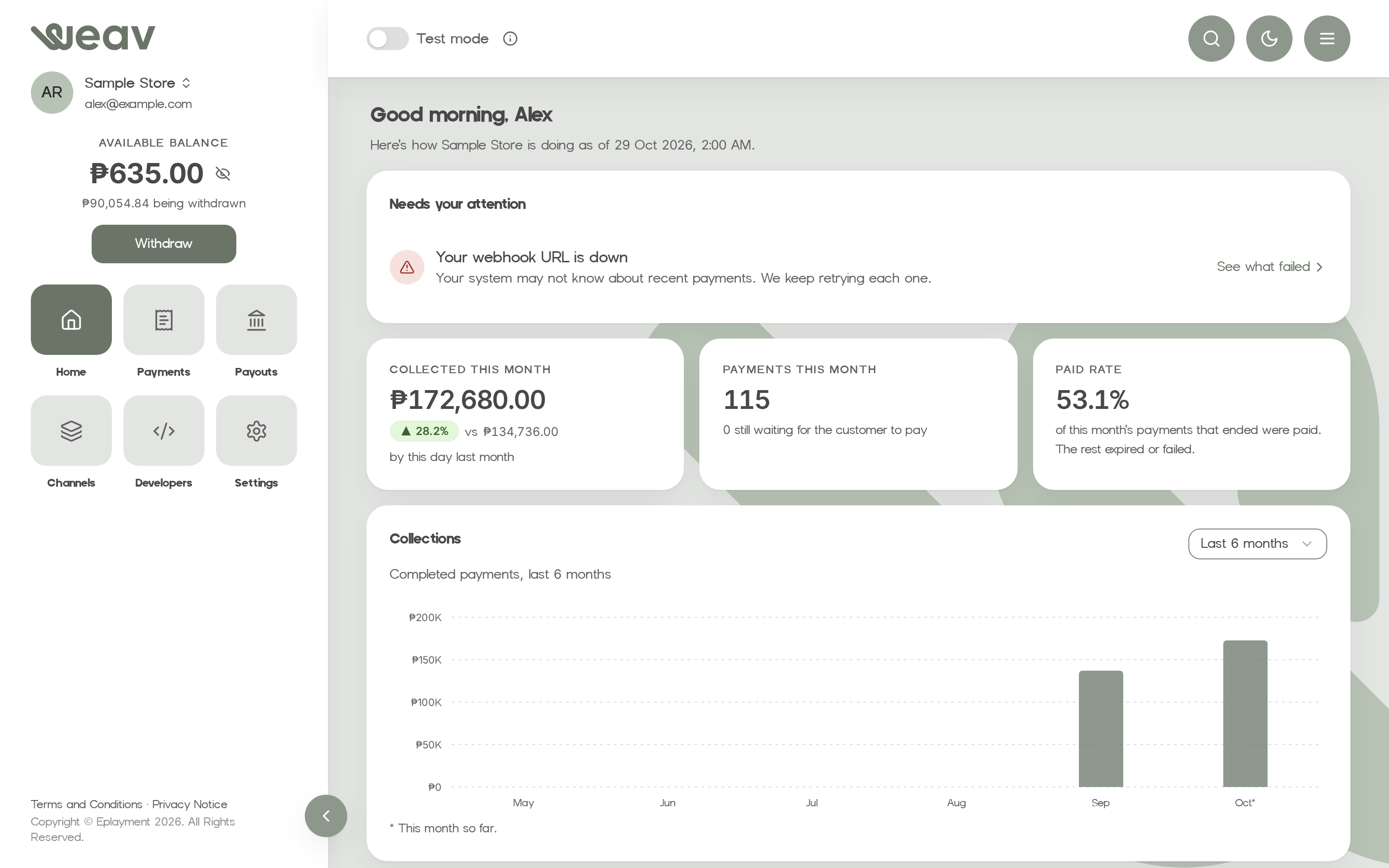
From QR Ph, e-wallets and bank apps to Visa, Mastercard and JCB cards and cash at the counter, your customers pay the way they like. Turn channels on or off from your dashboard.
Learn MoreYour account, keys and payments are protected at every step, and every payment and payout goes through regulated partners.



Every dashboard user signs in with a password and an authenticator code.
We show each API key once and store only a hash of it. You can limit each key to your server IPs.
Every webhook carries a signature you can verify before you trust it.
Data is encrypted in transit and at rest, including stored credentials.
Weav is operated by Eplayment Corporation, registered with the Bangko Sentral ng Pilipinas as an operator of payment systems (OPS Registration No. OPSCOR-2021-0002, issued 20 Jan 2021).
Questions about a payment, a payout or your integration? Our team helps you find the answer and keep your business running smoothly. Write to [email protected] with your merchant ID and the payment or withdrawal reference. Never send passwords, one-time codes or API secret keys.
Learn More
A clean REST API with one envelope, predictable fields, and public references you can store.
# Create a payment
POST /v1/payments
Authorization: Bearer wv_test_••••••••
Idempotency-Key: 7d1f6c0e-2b4a-4c9e-9f3d-6a1b8e2c5f10
Content-Type: application/json

{
  "channel": "QR_PH",
  "currency": "PHP",
  "amount": 1250.00,
  "external_reference_no": "ORD-10541",
  "description": null
}

# 201 Created
{
  "code": "2010100",
  "message": "Payment created",
  "data": {
    "payment": {
      "reference_no": "PY7K3Q9M2X4TBA",
      "status": "PENDING",
      "next_action": { "type": "DISPLAY_QR", … }
    }
  }
}
Weav is built for businesses and open by invitation for now. Public sign-up is coming soon.
Tell us about your business and how you want to get paid.
Our team completes business verification with you before anything goes live.
You get your dashboard sign-in and API keys, and you can test everything in test mode first.
Quick answers about Weav, from setup to payouts. For anything else, our support team is ready to help.
For now, businesses we invite and verify. Public sign-up is coming soon. Once your business is verified, we set up your account and invite you to sign in.
QR Ph, GCash, Pay with Maya, credit and debit cards through Maya Checkout, and cash payments at Pay & Go kiosks and at Palawan and Bayad counters, where customers pay to Eplayment with their payment code.
Completed payments add to your balance. You can withdraw your available balance to your business bank account from the dashboard. Each withdrawal needs a code from your authenticator app. InstaPay arrives right away; PESONet is credited in batches on banking days, from 10:40 AM, 1:40 PM or 4:40 PM.
Yes. Test mode gives you separate test API keys and a test checkout page where you complete, decline or expire payments yourself. Your webhooks fire just like in live mode.
We share fees during onboarding, based on the channels you use.
We send a signed webhook to your server when a payment completes or fails. You can also check its status through the API or in the dashboard.
No matches found. Try different keywords, or contact our support team.
Contact Support