Fast & Flexible Payouts
Withdraw your available balance to your business bank account through InstaPay or PESONet, whenever you want or once a day on a schedule. Every peso in and out shows in your balance history.
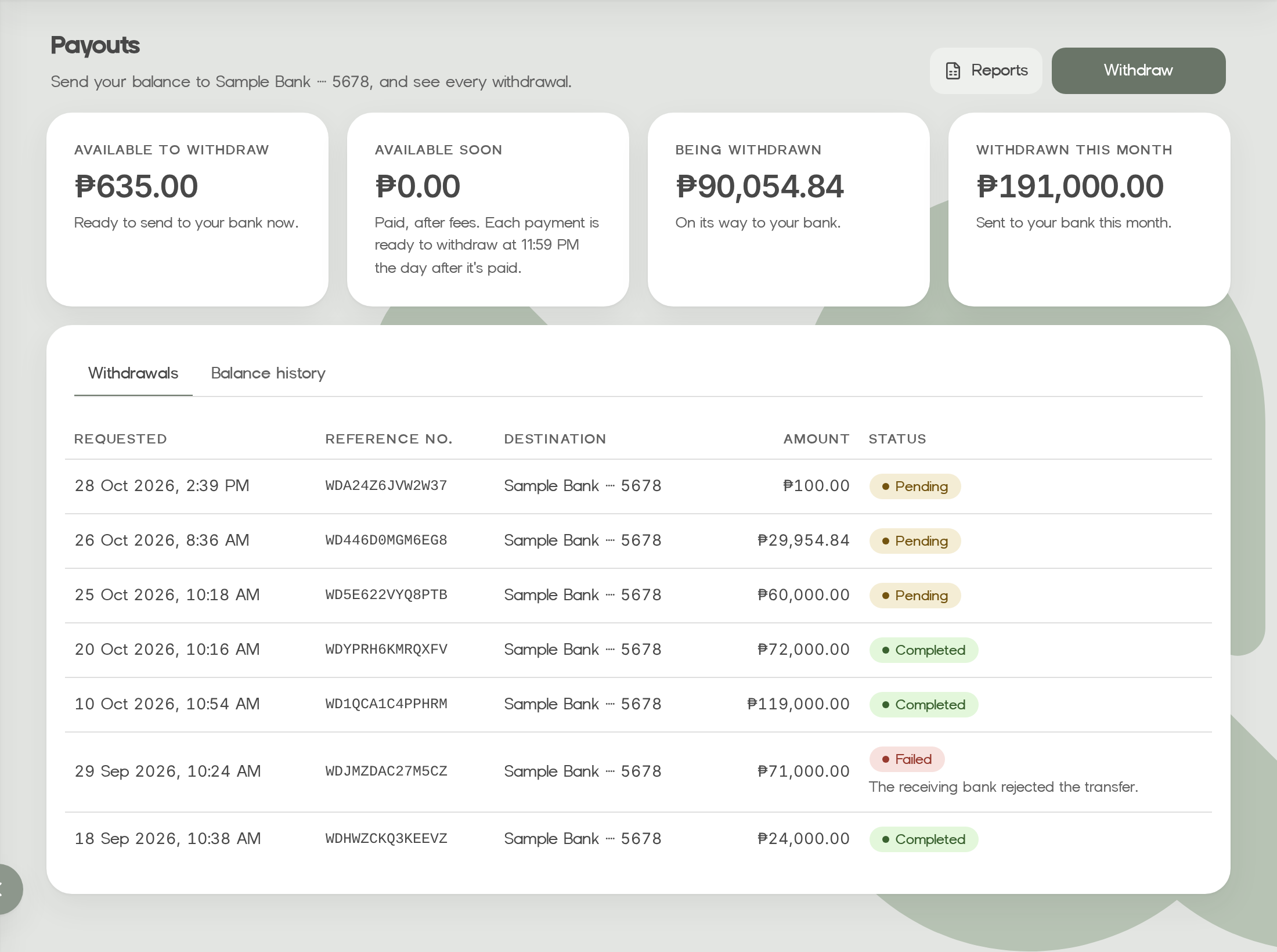
How your balance works
Your balance is a ledger: every payment, fee and withdrawal is an entry you can see and export.
Available soon
A paid payment, after fees, waits for the settlement time in your agreement, then joins the balance you can withdraw. Your dashboard shows when, for example 11:59 PM the day after it's paid.
Available
Then it's added to your available balance, the amount you can withdraw.
Withdrawn
A withdrawal is held from your balance while the bank transfer is on its way. If the bank rejects it, the amount goes back to your balance.
Your money, your way
InstaPay
Smaller withdrawals go by InstaPay, so the money usually arrives in real time.
PESONet
Larger withdrawals, or all of them if you prefer, go by PESONet, in batches. A bank that isn't on InstaPay always gets PESONet.
When you want
Withdraw from your dashboard any time. Each withdrawal needs a code from your authenticator app.
Or once a day
Turn on automatic withdrawals, and Weav sends your available balance to your payout account every day.
Safe by default
Changing where your money goes is the change that matters most, so Weav guards it.
Accounts in your business's name
Whoever adds a payout account confirms it's in your business's name. Withdrawals only go to your payout accounts.
New accounts wait a day
A payout account your team adds can receive withdrawals after a day, as a safety check. Adding one needs an authenticator code.
Owners and Finance are told
We email your Owners and Finance team whenever a payout account changes, so they can stop a change they didn't make.