Every Way Your Customers Pay
QR Ph, e-wallets, cards and cash at the counter, through one Weav account and one API. Every payment gets its own reference, and you see it in your dashboard as soon as the provider confirms it.
Payment channels
Turn each channel on or off from your dashboard. Your customers only see the ones you turn on.
QR Ph
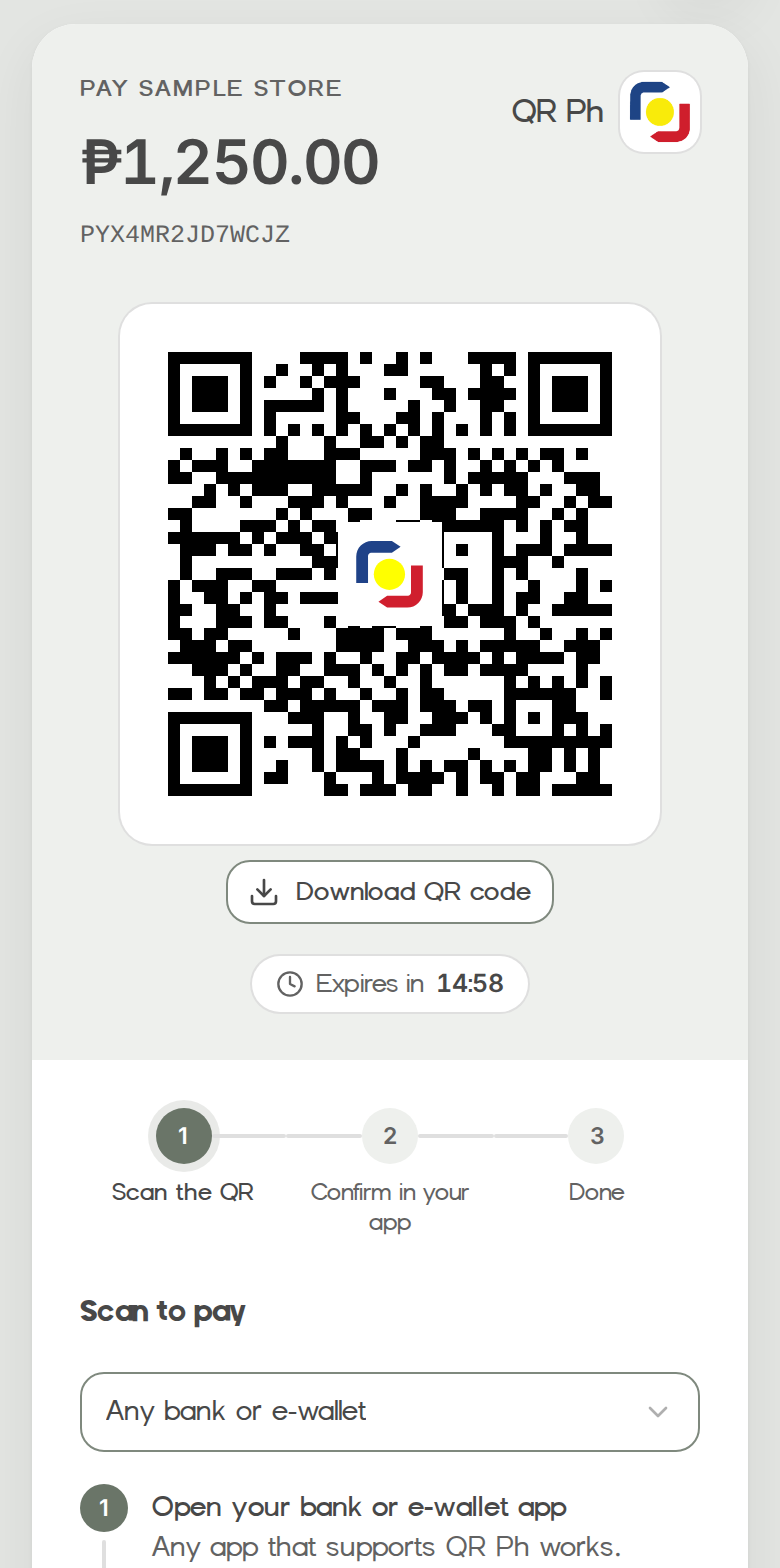
Customers scan a one-time QR code with any bank or e-wallet app that supports QR Ph.
GCash
Customers pay in GCash on the GCash checkout page.
Pay with Maya
Customers pay with their Maya wallet on Maya's checkout page.
Credit or debit card
Visa, Mastercard and JCB, on a secure Maya Checkout page. Each payment is screened for fraud.
Pay & Go
Customers pay cash at a Pay & Go kiosk: they choose Eplayment on the screen and enter their payment code.
PalawanPay
Customers pay cash at a Palawan branch counter, to Eplayment, with their payment code.
Bayad
Customers pay cash at a Bayad counter, to Eplayment, with their payment code.
Bank and e-wallet apps
Many customers know their bank app better than QR Ph. On a Weav checkout they pick it by name and see the steps for that app. It's still QR Ph, so any app that scans QR Ph can pay.
 UnionBank
 BDO Pay
 GoTyme
 LANDBANK
 Metrobank
 Security Bank
 RCBC
 Chinabank
 PNB
 Robinsons Bank
 GrabPay
 ShopeePay
Checkout Links
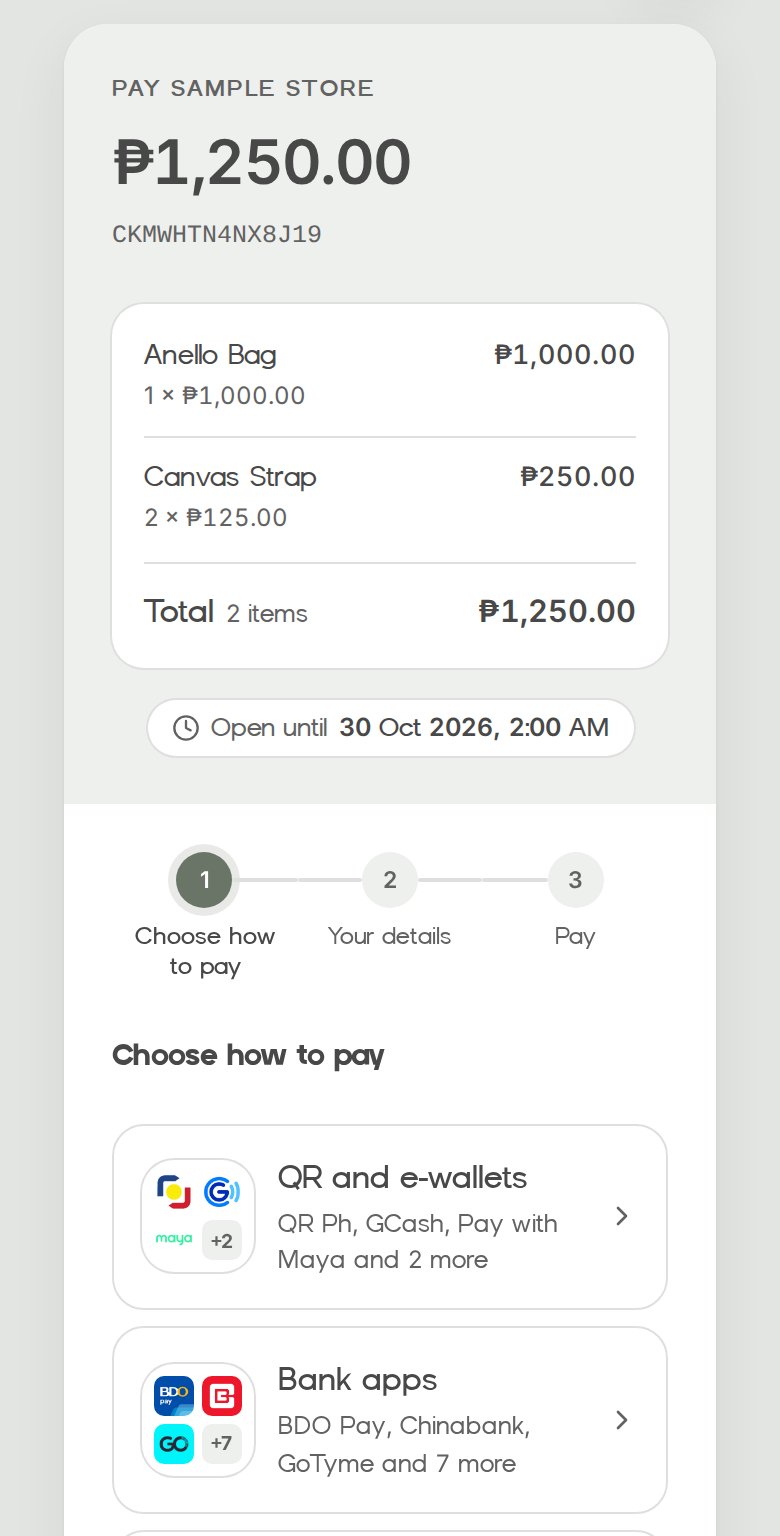
One link for one amount or a list of items, made in your dashboard or with one API call. Your customer chooses how to pay, gives their name, and pays. A link is paid once.
- Ways to pay are grouped, so the list stays short: QR and e-wallets, bank apps, card, and cash at a counter.
- Send a link for every way that's on, or for just one, like a UnionBank-only link.
- If your customer changes their mind, they choose another way on the same link.
- You get a webhook when the link is paid, and the payment shows in your dashboard.
How a payment works
Your system and Weav talk through one API, whichever channel the customer picks.
1. You create a payment
Send the amount, the channel and your own order number. Weav returns a reference and what the customer does next: a QR code to show, a checkout page to open, or a payment code for the counter.
2. Your customer pays
In their bank or e-wallet app, on the provider's checkout page, or with cash at a counter or kiosk.
3. You're told right away
We send a signed webhook to your server when the payment completes or fails. You can also check it through the API or in your dashboard.
Built in, from the start
Weav's payment page
Each payment comes with a link to Weav's payment page for its channel, with the QR code or payment code and how-to-pay steps. Nothing is set up at the provider until your customer opens it.
Your own checkout
Or show the QR code, the checkout link or the payment code in your own app or website.
Safe retries
Send an Idempotency-Key with every create, so a retry never charges your customer twice.
Test mode
Separate test API keys and a test checkout page where you complete, decline or expire payments yourself. No real money moves.